Freelance Time Tracking
Track billable hours before small tasks disappear
SoloHours helps freelancers track billable time across quick fixes, client replies, reviews, handoffs, reopened tasks, and short work sessions that are easy to forget before invoicing.
Built for solo freelancers who need a simple time tracker for fragmented client work, not a heavy project management or invoicing suite.
Explore the app first. A paid plan is only needed when you want to start tracking time.
No bloated project management. Just fast capture, clean reports, and clearer billing.
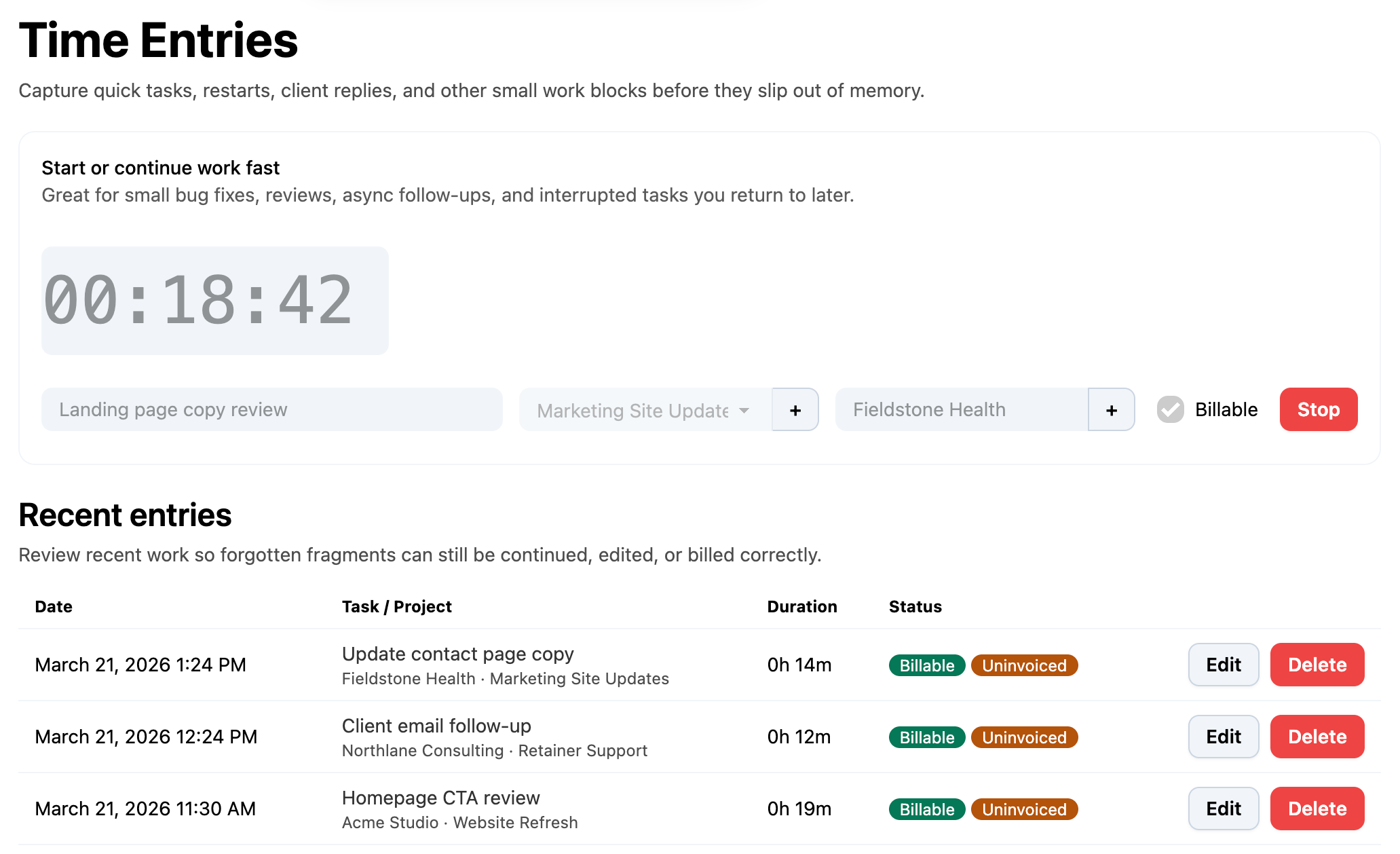
Built for fragmented freelance time tracking
A lot of freelancers do not underbill because they forgot one huge task. They underbill because the day gets split into many small pieces. SoloHours is built to catch those pieces while they are still easy to record.
Track billable time fast
Start a timer in seconds or add time manually after the work is done. Useful for quick fixes, reviews, support replies, and short client requests.
Continue reopened tasks
Pick work back up without rewriting the same details. Helpful when client work keeps reopening throughout the day.
Separate billable and non-billable work
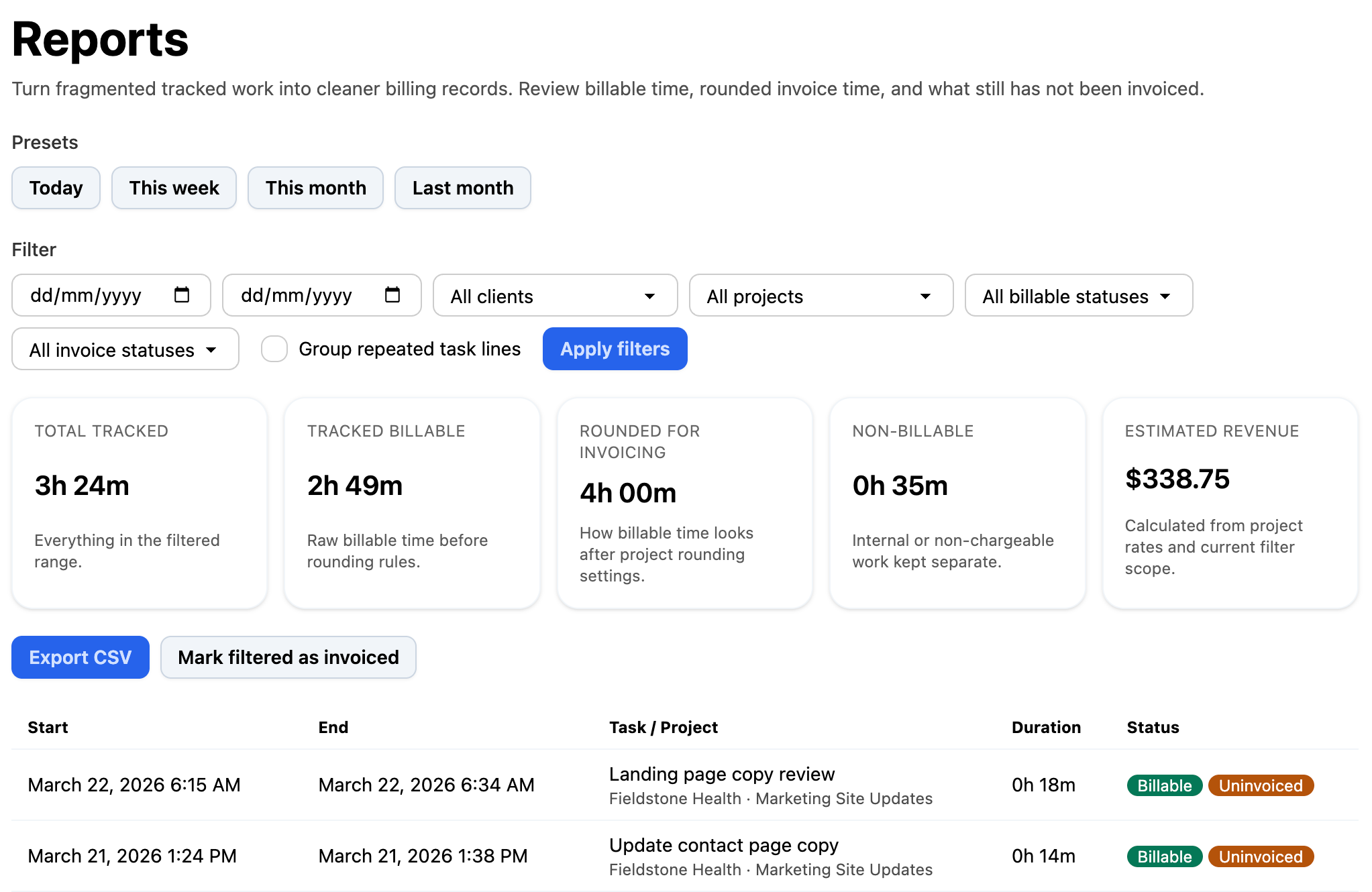
Track billable and non-billable time separately, mark invoiced work clearly, and stop guessing what still needs to be charged.
Export cleaner timesheet reports
Group scattered entries and export cleaner records so you spend less time rebuilding timesheets before invoicing.
Turn tracked freelance time into cleaner billing reports
SoloHours helps you review tracked billable time, rounded invoice time, non-billable work, estimated revenue, and what still has not been invoiced. That makes small task fragments much easier to turn into real billing records.
Who this freelance time tracker is for
SoloHours is for freelancers, consultants, developers, designers, technical specialists, and other solo professionals who get paid for work that often arrives in short, fragmented blocks throughout the day.
If your work includes quick requests, async communication, handoff reviews, support tasks, reopen-and-fix work, or frequent context switching, SoloHours is built for that reality.
Frequently asked questions
Capture small billable work before it turns into unpaid time
SoloHours keeps freelance time tracking focused so you can spend less energy rebuilding timesheets later and more energy on work that actually gets you paid.